Encoding Problem

rusender

Beginner
My language is Russian, your script does not support it.

When sending a letter, the sender field contains the characters - ??????? ?????
And when working with a script, Russian letters are not displayed correctly!

These problems stop me from buying your script, as well as many Russian-speaking buyers.
Please fix this problem.
 
Can you confirm if you are using Campaigns+? As nothing has been reported like this before and we had tested with all languages. Can you be more specific on what field isn't working e.g subject line, email body, etc? And also if you can attach a snapshot as an example?
 
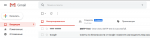
In mumara (pro/esp) the message body in is displayed in General normally, problems with the field (from whom), instead of the sender's name in Russian, question symbols are displayed...
 

Attachments

  • trial-01.png
    trial-01.png
    26.7 KB · Views: 14
Last edited:
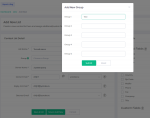
And in Campaigns+, if there is Cyrillic in the fields, the settings are not even saved...
 

Attachments

  • campaigns.png
    campaigns.png
    63.2 KB · Views: 11
Last edited:
In mumara (pro/esp) the message body in is displayed in General normally, problems with the field (from whom), instead of the sender's name in Russian, question symbols are displayed...

Can you try sending a real campaign instead of the Test SMTP connection? Let me know if you find the same issue in a real campaign.
 
The snapshot shows that the issue is when you create a List Group?

Basically Yes, the problem is there in the section adding a new list. But where it is possible to save the name with Cyrillic, then not always displayed correctly.
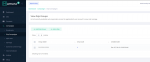
Apparently the fact is that you are using Latin1 encoding, which does not support Cyrillic. Similar problems are observed in the Mumara pro version.
 

Attachments

  • mu.png
    mu.png
    52.8 KB · Views: 12
  • mu2.png
    mu2.png
    75.8 KB · Views: 12
Last edited:
I got it. added it as an internal ticket. It will be fixed in the next update!
 
Back
Top